I’ve had Disqus comments on my blog for years, ever since I migrated from WordPress to a statically generated website. I went through several static site generators over the years; rebuilding a blog is often more fun than writing actual articles. Gradually, Disqus became more bloated (over 200 KB gzipped), so I had to delay its loading with setTimeout so it wouldn’t slow down the page load. I’ve always wanted to replace it with my own system, but I wanted it to be easy to maintain (i.e. no extra infra I’d have to look after in my free time).
When Cloudflare released D1, I realized that it would be a good fit for comments, but it still took me a few more years to get around to it (there was always something more pressing). I built a clunky prototype in 2023, but to be honest, without Claude Code it would still be somewhere on my someday/maybe list. I knew there must be some other lightweight comment systems, but there was no point in researching them, because I was able to build my own really fast and exactly to my requirements. Let me introduce Edge Comments (Edge as in running on the edge network).
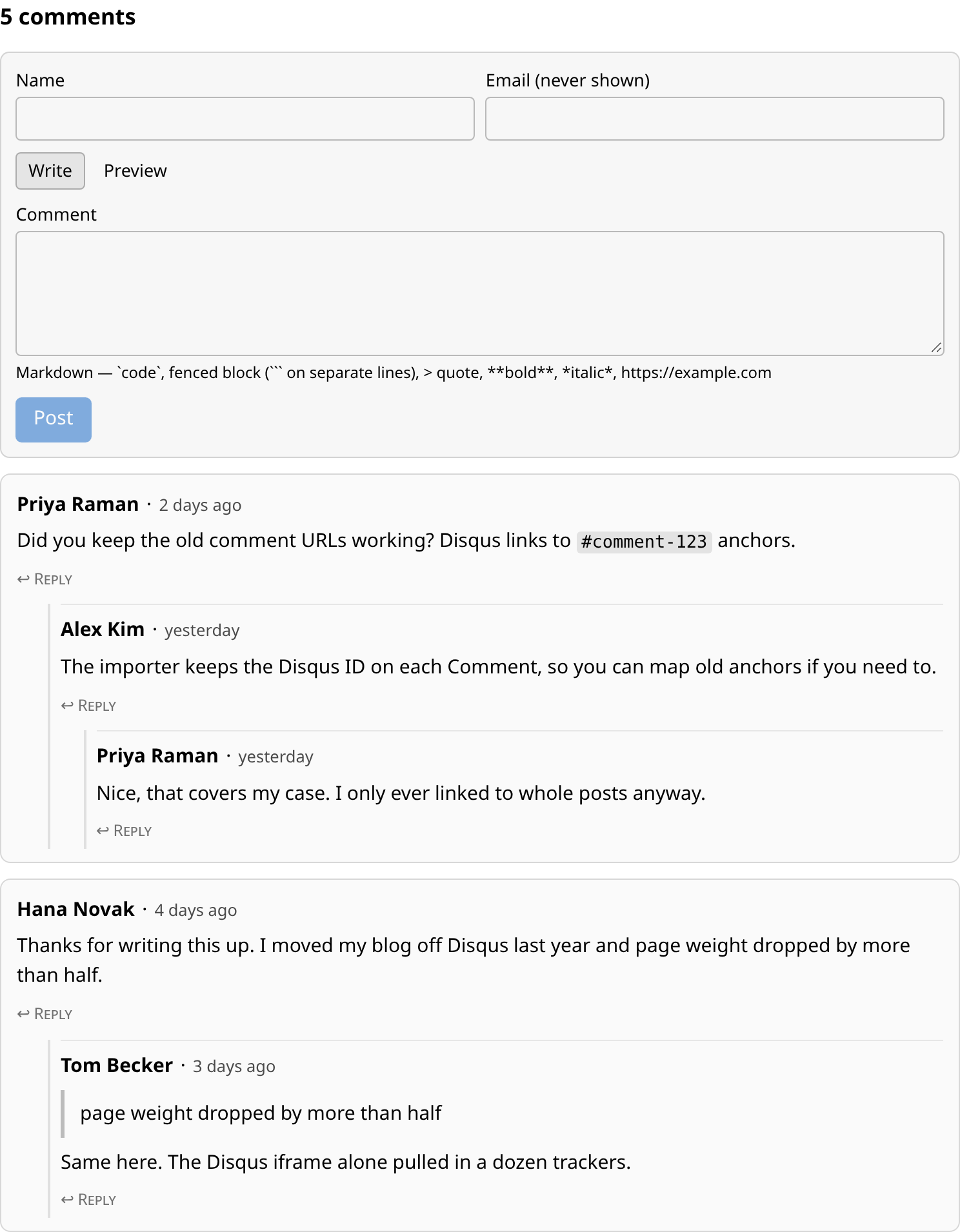
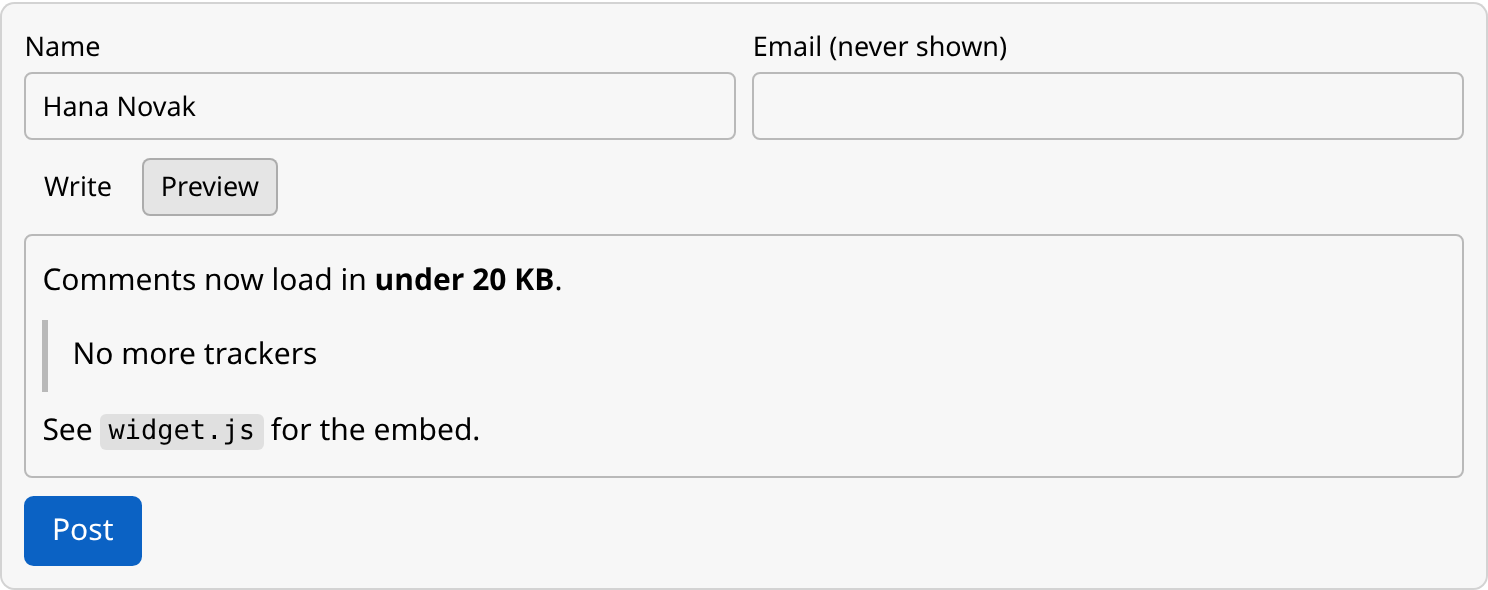
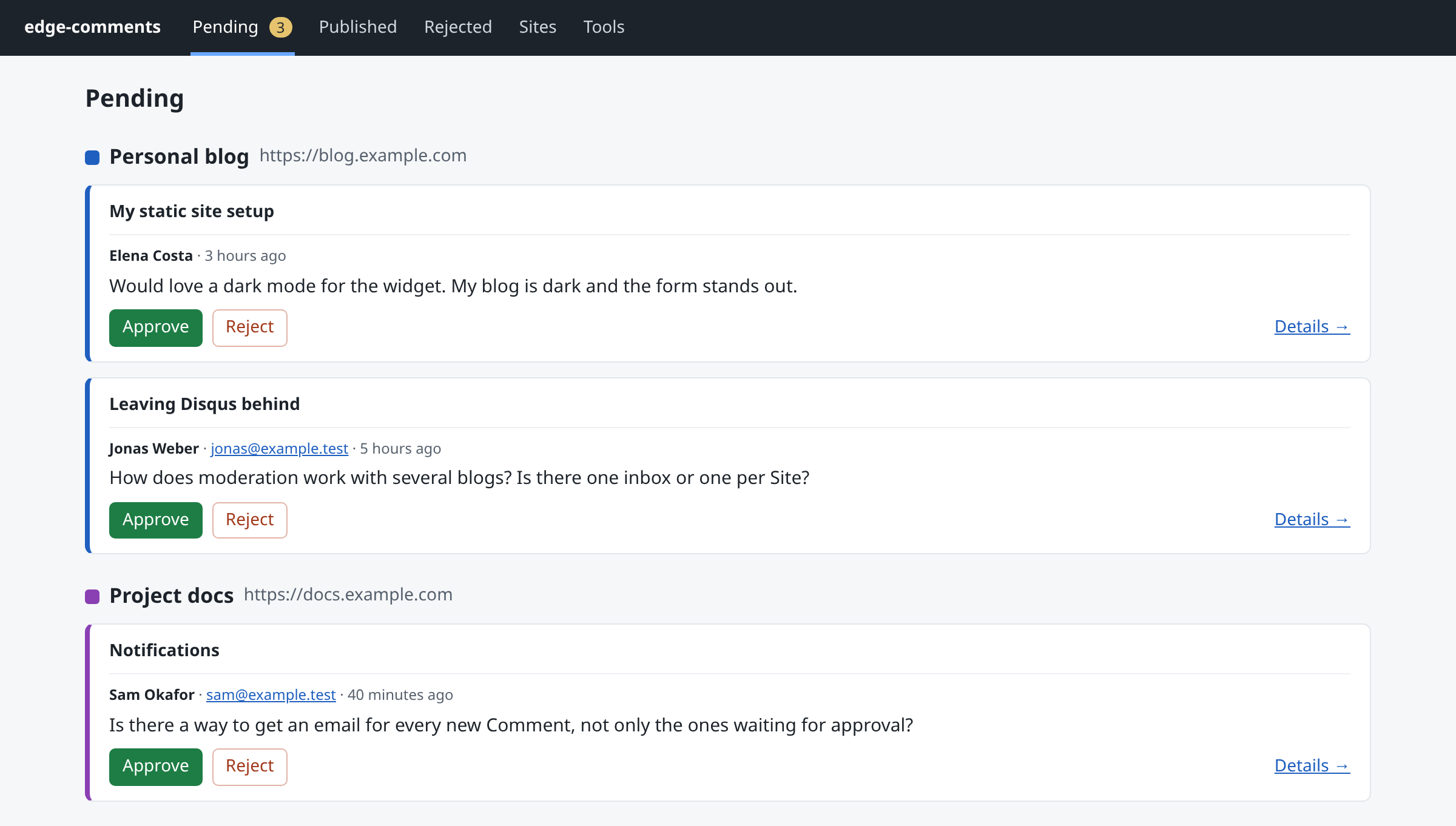
What can it do?
It all runs on Cloudflare: API (Workers), database (D1), spam protection (Turnstile), admin (Access), backups (R2), email notifications (Email Routing).
- Multiple sites (I use it for this blog and my recipes site)
- A comment widget under 20 KB gzipped (JS and CSS together), with no ads or tracking
- Threaded replies and Markdown with a live preview
- Spam protection
- Optional manual approval of comments
- A protected admin area for moderating comments and managing sites
- Email notifications to the admin about new comments
- A JSON export and weekly backups
- An importer for Disqus XML exports
Moving the old comments
The comments section on my blog was never super busy, but I accumulated over 400 valuable comments, so there was no way I would leave them behind when switching to the new system. Luckily, Disqus offers an XML export, which made the migration easy. The only downsides are that any comments made by people with a Disqus account no longer show their avatars, and the @user:disqus mentions no longer link anywhere.
Host it yourself
Edge Comments is on GitHub. It runs free in your Cloudflare account up to 100,000 requests a day.
I built an interactive deploy script with Matt Pocock’s wizard skill. Setting up everything by hand in the Cloudflare dashboard becomes tedious very fast, so the deploy script automates what it can and guides you through the necessary manual steps: creating the API token, activating R2 and Zero Trust (both require a payment card, even on the free plans), enabling the One-time PIN login and clicking the email verification link.
For each step it opens the right dashboard page, tells you what to click, and checks via the API that it’s done. Everything else (D1, R2 bucket, Turnstile, Cloudflare Access, Email Routing, secrets and the deploy itself) it does on its own. Re-running it later just deploys (because the tokens and resource IDs are already stored in a config file).
Building it with Claude Code
Matt Pocock’s wayfinder skill was really helpful in turning the rough idea into a working app. Wayfinder helps you when you know where you are going and need to figure out how to get there. Here is the initial prompt. Nothing fancy, just me dumping some basic requirements.
/wayfinder Until now I was using Disqus for comments on my personal blog. But because it is JS heavy, I figured I can probably create some light-weight comment system for my low-traffic websites (the blog, and few others), that will be hosted on Cloudflare Workers for free (I already host my static websites there). I want the system to be opensource and support multiple sites. I will deploy it to Cloudflare to be used by my domains. There should be some admin UI to manage comments and probably some spam checking later. How can we name it? Going with cf-comments for now. I want to be able to migrate the existing comment history (few hundred comments tops) there.
More important than the prompt was the shaping phase, in numbers:
| Phase | Grilling sessions | Questions asked |
|---|---|---|
| Shaping the v1 spec (18 Nov) | 13 | 167 |
| Code reviews, deploy-script design, first deploy and publishing (19–20 Nov) | 9 | 118 |
| Total | 22 | 285 |
(I did not count them by hand, but asked Claude to check the project history and count them for me.)
Most of the time I went with Claude’s recommended answer. Even that was a deliberate decision. Sometimes I pushed back and fine-tuned a feature, e.g. I simplified “author can see their comments that are pending approval”. Claude wanted it to survive a page refresh. That meant storing a secret in local storage, passing it to a new API endpoint on page load, etc. In the end the pending-approval comment is shown by JS only and disappears after a page reload (good enough, much simpler).
During research, Claude found that Cloudflare Workers on the free plan are limited to 10 ms of CPU time. I wouldn’t have bothered reading the docs that carefully and would have hit the limit in production. That led to two decisions: Markdown comments are rendered once when the comment is posted, not on every fetch; and there is a profiling script that checks that the backup stays under the limit.
What Claude got wrong
Even after reading the Cloudflare docs, Claude gave outdated instructions for some manual steps in the dashboard.
More importantly, the deploy script tried to turn on Cloudflare Email Routing for martinhujer.cz itself, which would have taken over my MX records. That one surprised me. Luckily, Cloudflare refused, because my Google MX records already existed (the deploy script has since been adjusted to only enable it for the subdomain you choose). For a personal site, letting a script change DNS is fine, but for a company product, I’d test it in a separate Cloudflare account and never let it touch shared settings.
Conclusion
After years of putting it off, I built it with Claude Code in my spare time over three days (~8 hours of hands-on time in total). And it was fun!
Working through that many grilling sessions is definitely a lot of work, but it allowed me to shape Edge Comments exactly how I wanted. I find this a sweet spot between vibe-coding it with a “Build me a comments system. Make no mistakes” prompt and reviewing every single line of code Claude produces. Automated code review, tests and my own manual QA were enough.
Try it yourself. If the screenshots aren’t enough, you can comment on this post to see it in action.